Spread the shine
Deploy your app on a free server
1 What is needed
- An online server hosting the application (Section 1.1) (which is connected to GitHub)
- The local version on your computer (Section 1.2)
- The connection between the app and the online server (Section 1.3)
- The deployment (Section 1.4)
1.1 Shiny server
Many servers exist, this article provides an overview on the available ones, although a subscription is required for pro features.
You can set a server from scratch (choose your own adventure). Here’s an option with Digital Ocean provided by Dean Attali. This option requires quite advanced porgramming skills, although the guide provided by Dean Attali is very basic and easy-to-use.
shinyapps.io is the “official” server for shiny apps. The free licence version allows for hosting 5 apps at the time.
Connect cloud
At the end of 2026, shinyapps.io will be replaced by Connect Cloud
1.1.1 Connect Cloud
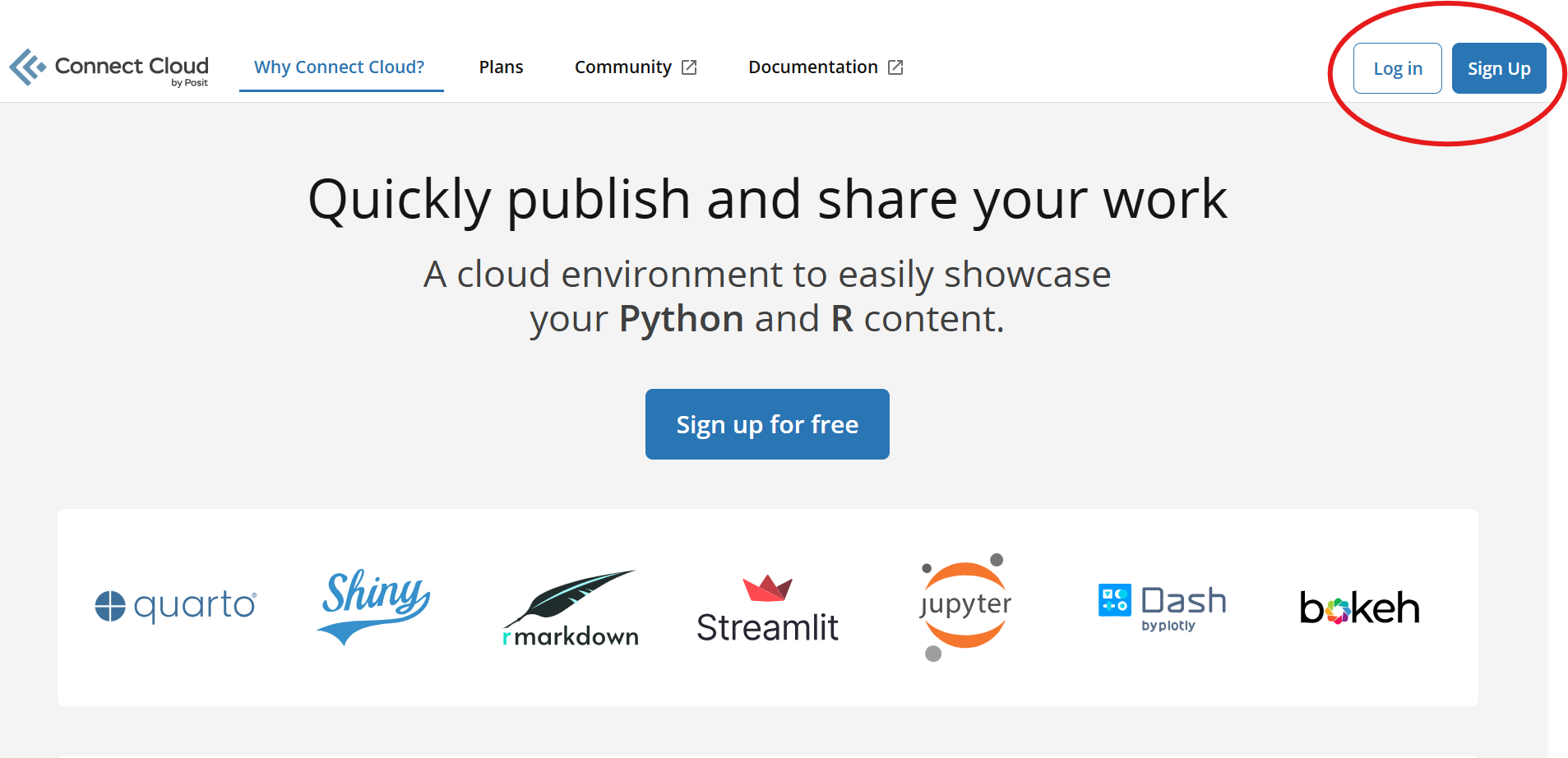
The account on Connect Cloud can be connected to an already existent account, such as a Google Account. The best option is to link Connect Cloud to your GitHub account:
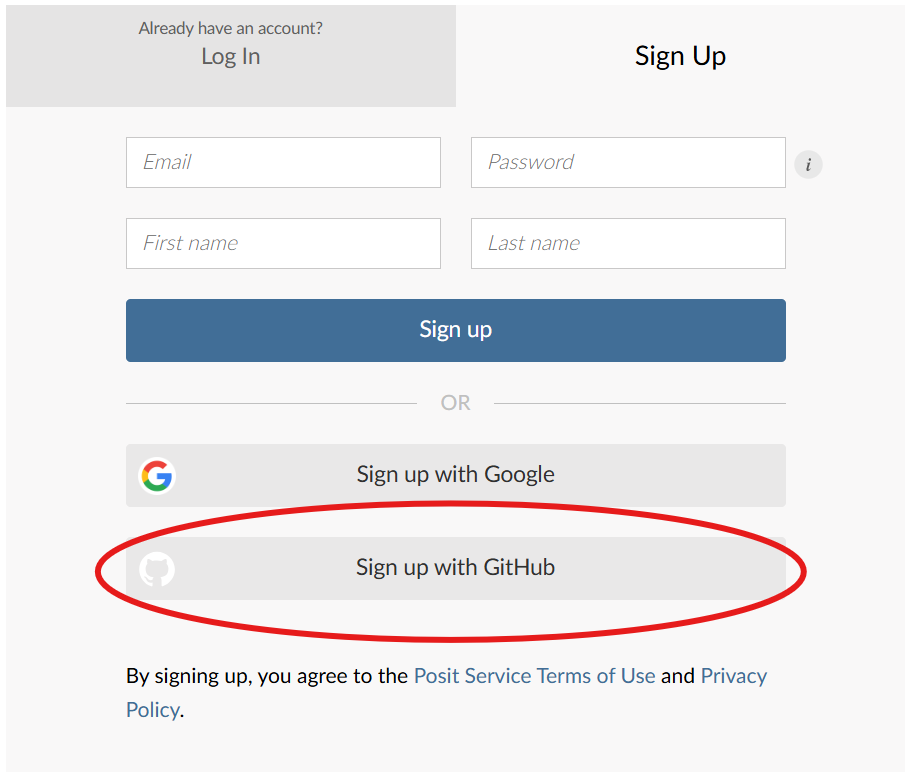
Follow the instructions and then choose an account name for posit.
1.2 Local app
The app must be stored in an R file with clearly defined ui and server.
The R file must me named app.R.
Once the app is ready for deployment, commit and push as usual.
The file must be within an R project, which is set to be a GitHub repository.
1.3 rsconnect
The rconnect package is necessary to link the local app, the GitHub repository, and the Connect Cloud.
Connect Cloud is not R – as such, it needs external files describing the packages/dependencies that are employed and needed for the app deployment.
First, the package needs to be installed (Listing 1).
install.packages("rsconnect")Then, within the R-project hosting the app.R file, run the code in Listing 2
rsconnect::writeManifest()The file manifest.json is apperead within the R project, making the app deployment possible.
For the deployment, the folder of the project should have the following structure:
app-Examples/
├── .gitattributes
├── .gitignore
├── app-Examples.Rproj
├── app.R
└── manifest.json
1.4 Deploy
Everything is ready for the actual deployment of the app from Connect Cloud.
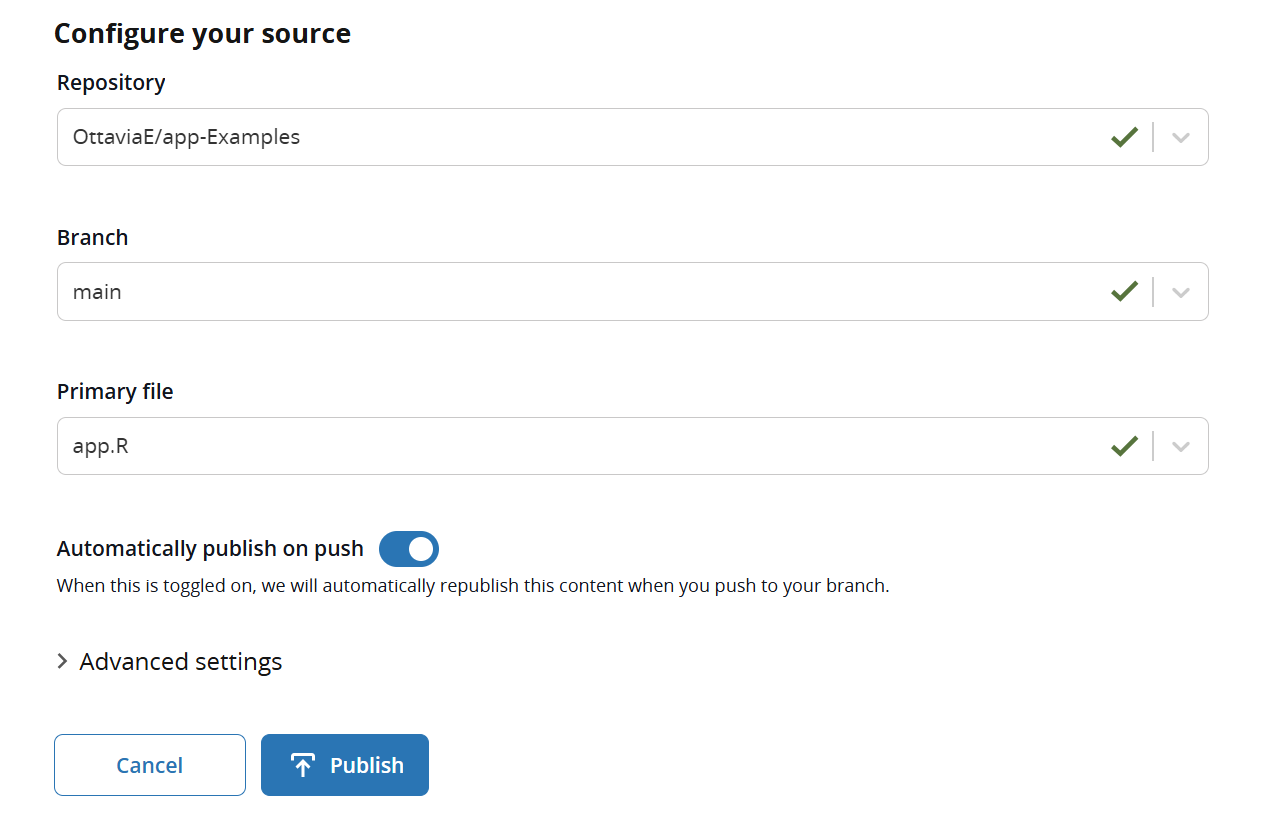
From the Home of your profile, search for the Publish button.
Select the repository, the folder, and the specific file of the app (Figure 1)