What is ![R]()
R is a programming language strongly oriented towards statistics, data management and visualization.
It was created in 1993 by Ross Ihaka and Robert Gentleman.
It is completely open-source and free software, constantly evolving and changing.
Why ![R]()
A word on open-source
A piece of software is called open-source when its source code is available to everyone to be modified, updated and inspected.
R is both open-source and free, and it has an extremely active community, as often happens with open-source projects and programming languages in general.
Who are the competitors?
R’s main “competitor” is certainly Python, which offers an equally powerful, well-developed and active environment.
It is not easy (and maybe not even possible) to say which one is better.
In any case, once you have learned R, learning Python will be very easy.
Who are NOT the competitors?
In the field of statistics there are several non-open-source, paid software packages such as:
- Statistica
- SPSS
- STATA
- SAS
Who are NOT the competitors?
They are excellent pieces of software, but:
- They do not provide transferable skills
- You are tied to a specific environment
- Licenses can be very expensive
- The community is not as active (not open-source)
What are the alternatives?
There are some excellent open-source programs based on R, such as:
- Jamovi
- Jasp: many models, including advanced ones!
Learning a language as an investment
Learning a language like R lets you master a very powerful tool, but also learn to:
- Reason and solve problems with code
- Transfer what you have learned to other languages
- Always be autonomous and not tied to a specific environment
- Have a truly valuable skill
Learning R is hard…BUT it’s worth it!
Installing R and R-Studio
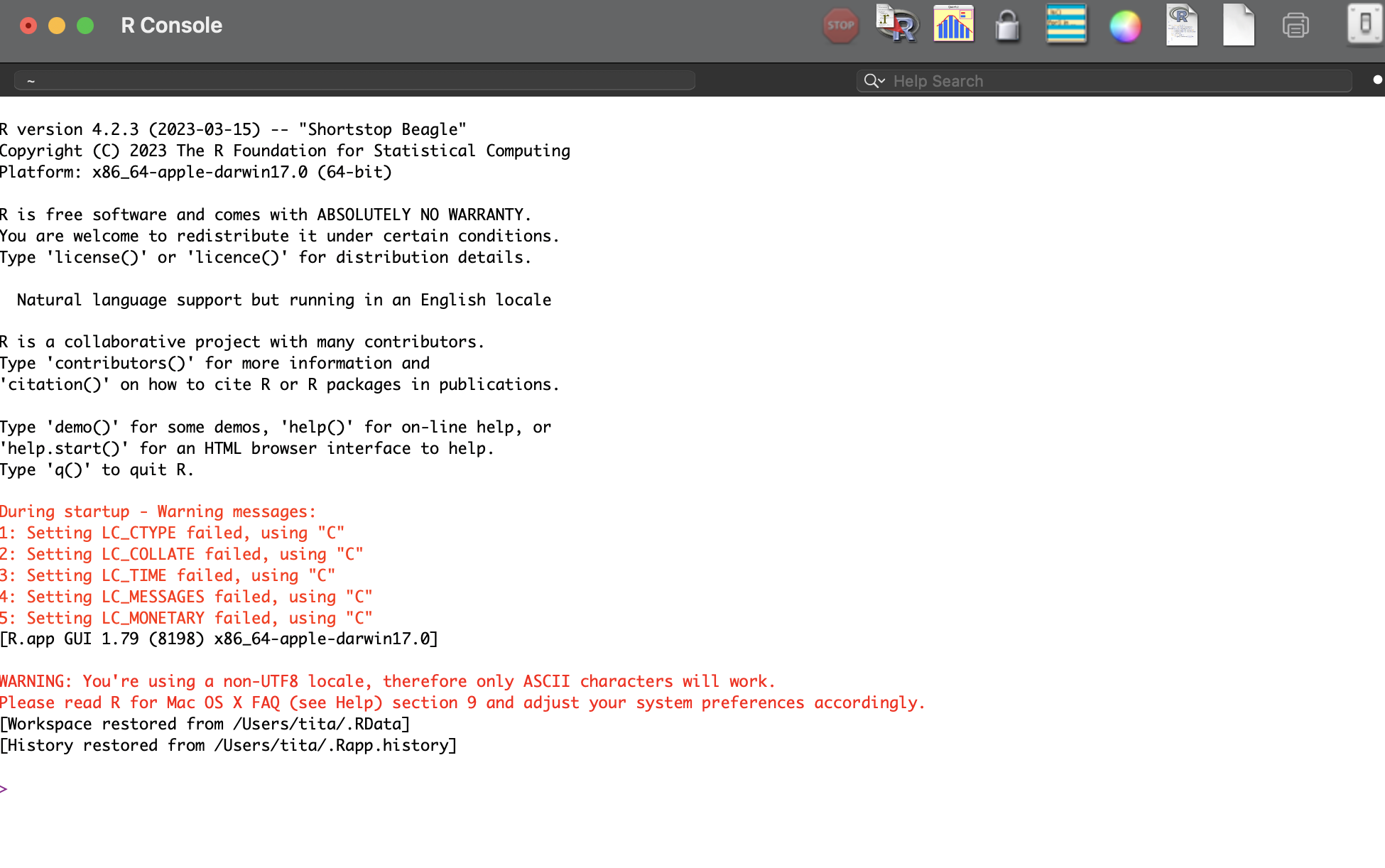
R and R-studio are two different pieces of software.
![]()
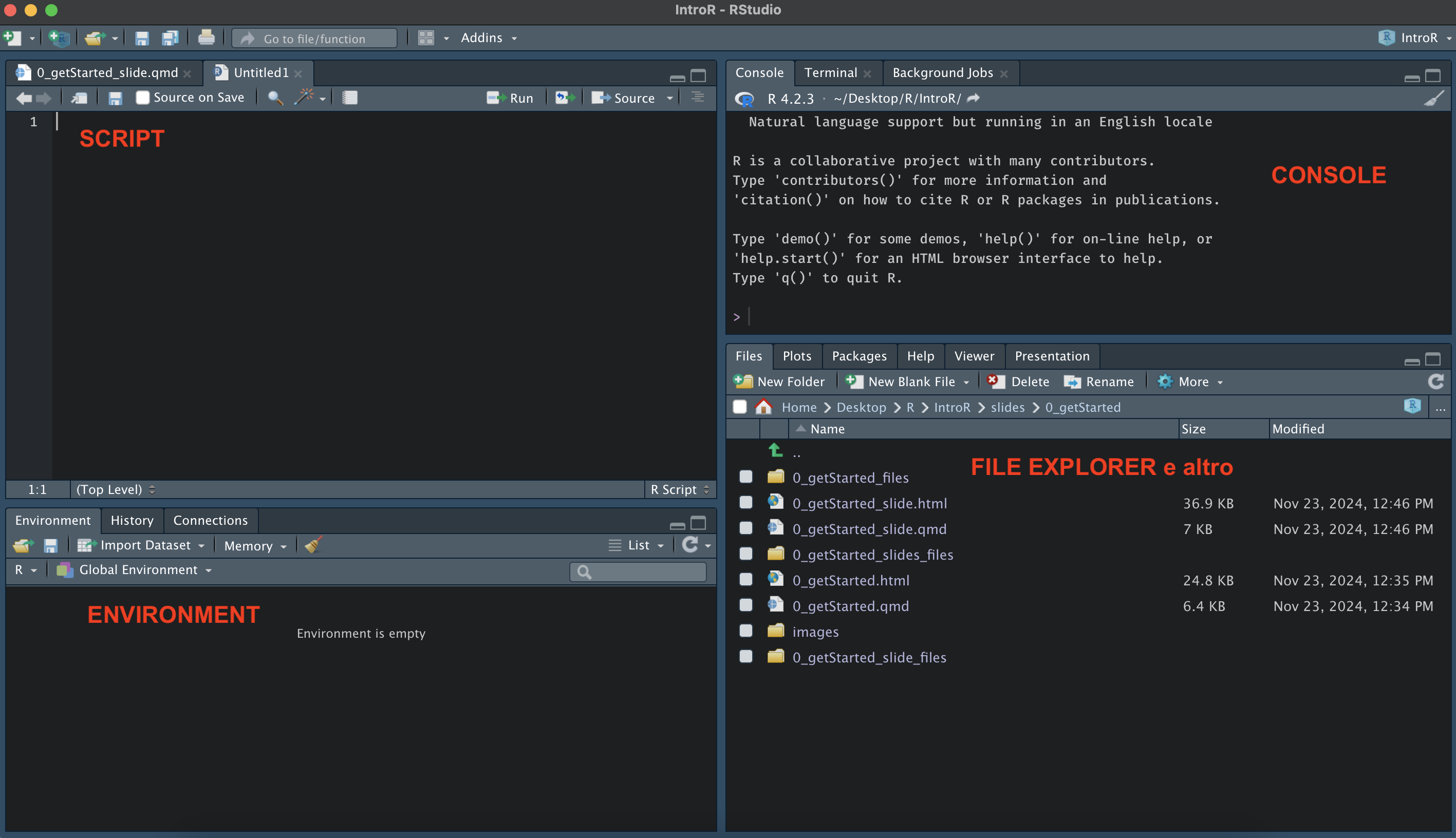
R-Studio
R-studio is a user-friendly interface that lets you use R.
![]()
Installing R and R-Studio
They must be installed separately, and the procedure depends on your operating system.
If you have not installed them yet, follow the procedure explained at this link: https://posit.co/download/rstudio-desktop/
Important things to know
Leave R and RStudio where they are: your computer installs them in the right place automatically
Create a folder named introR, on your Desktop or wherever you prefer: it will be our working directory for the entire course